Elevating Holiday Crafts with the Berry Poinsettia Vignette
The holiday season brings a unique blend of nostalgia and creativity, urging crafters and designers to infuse their projects with warmth and festive charm. At the heart of many successful seasonal designs lies the ability to incorporate high-quality visual elements that capture the essence of winter flora. The Berry Poinsettia Vignette stands out as a premier digital asset designed specifically for those who value precision, versatility, and aesthetic depth in their creative endeavors. Whether you are a professional graphic designer, a small business owner creating marketing materials, or a hobbyist dedicated to the art of junk journaling, understanding the capabilities of this specific vignette can transform your workflow and final output.
Understanding the Digital Asset Specifications
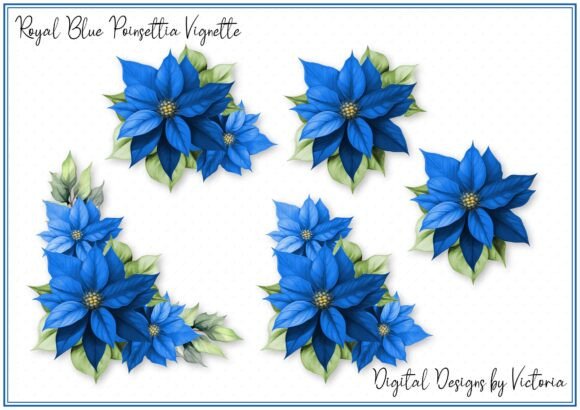
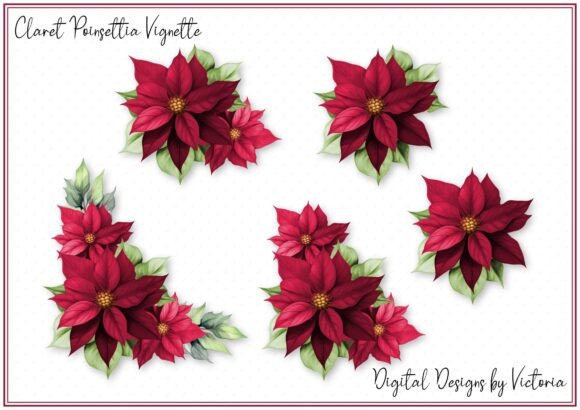
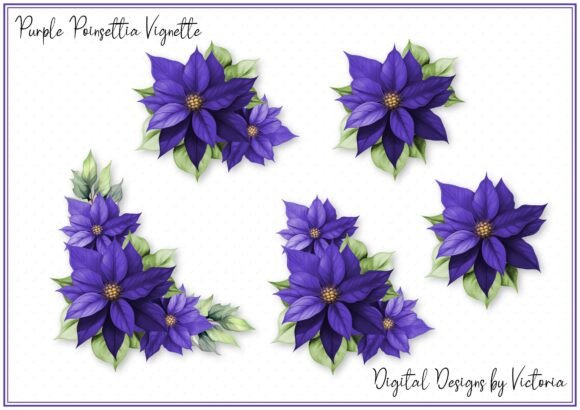
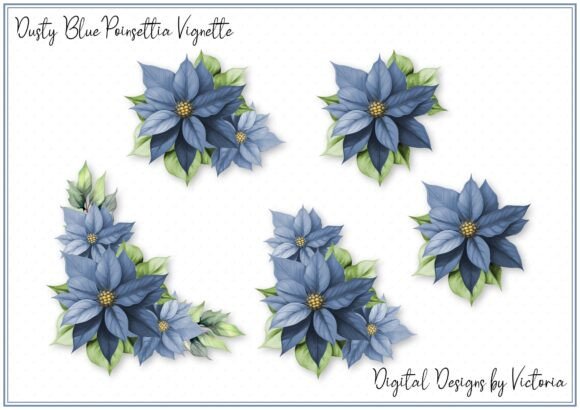
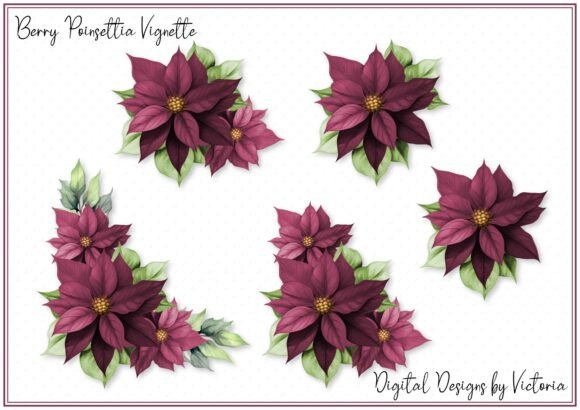
When integrating digital ephemera into physical or digital projects, the technical specifications often dictate the quality of the end result. The Berry Poinsettia Vignette is engineered with professional standards in mind. Upon acquisition, users receive a comprehensive package designed to accommodate various editing preferences and software capabilities. The core of this delivery is a grouped PNG file. In the realm of digital design, a "grouped" file implies that multiple layers or elements are contained within a single object structure, allowing for easier manipulation without losing the relationship between the berries, leaves, and floral accents.
The dimensions of this asset are particularly noteworthy. The first layer of the grouped file measures approximately 5 inches. This size is strategic; it is large enough to serve as a focal point on standard greeting cards or scrapbook pages yet compact enough to be used as a repeating pattern element or a subtle corner accent without overwhelming the composition. Furthermore, the resolution is set at 300 DPI (dots per inch). This is the industry gold standard for printing. Unlike web graphics which often sit at 72 DPI, a 300 DPI ensure that when you print the Berry Poinsettia Vignette, the edges remain crisp, the colors do not pixelate, and the fine details of the berry textures are preserved perfectly.
In addition to the layered PNG, the package includes a grouped JPG file. While PNGs are superior for maintaining transparency, JPGs offer a distinct advantage for certain workflows, specifically "fussy cutting." For crafters who prefer to print the image and physically cut it out with scissors or a craft knife rather than using digital masking tools, the JPG format provides a solid background reference that can simplify the cutting process. This dual-format approach demonstrates a deep understanding of the diverse methods creators use to bring digital files into the tangible world.
Versatile Applications for Creators and Businesses
The true value of the Berry Poinsettia Vignette lies in its adaptability across a wide spectrum of projects. Its design is not limited to a single niche; rather, it serves as a flexible building block for numerous creative industries.
- Card Making: The 5-inch scale makes this vignette ideal for front-and-center designs on folded greeting cards. The rich reds of the poinsettia paired with the deep hues of the berries create an immediate holiday association.
- Junk Journaling: Enthusiasts of junk journals seek ephemera that adds texture and historical feel. This vignette can be printed, distressed, and layered over vintage papers to create evocative December spreads.
- Scrapbooking: Preserving holiday memories requires decorations that complement photographs without obscuring them. The vignette works beautifully as a border element or a photo mat accent.
- Product Packaging: Small business owners selling handmade soaps, candles, or baked goods can utilize this graphic on labels and tags to elevate their brand's seasonal presentation.
- Digital Invitations: For those sending e-cards or digital party invites, the high-resolution PNG ensures the graphic looks sharp on retina displays and mobile screens alike.
Consider a scenario where a boutique owner is preparing for a Christmas sale. They need to create shelf talkers and window decals quickly. By utilizing the Berry Poinsettia Vignette, they can resize the 5-inch master file to fit various layouts while maintaining clarity thanks to the 300 DPI source. Similarly, a teacher creating winter-themed classroom decorations can print multiple copies of the JPG version for students to color or cut out, fostering a hands-on learning environment.
Practical Considerations and Best Practices
While the Berry Poinsettia Vignette offers immense potential, maximizing its utility requires an understanding of how to handle digital files effectively. One common consideration is the concept of "grouped" files. If you are using software like Adobe Photoshop, Illustrator, or even free alternatives like GIMP or Canva, knowing how to ungroup or isolate layers is essential. The grouped nature of the PNG allows you to move the entire floral arrangement as one unit, but you may wish to separate the berries from the leaves to place them differently in your composition. Always check if your specific software supports layer groups upon import.
Another critical factor is paper selection. Since the file is optimized for 300 DPI printing, using low-quality printer paper may negate the benefits of the high resolution. For card making and scrapbooking, it is recommended to use cardstock with a weight of at least 80 lbs or specialized photo paper for the most vibrant color reproduction. The deep greens and reds in the poinsettia design can appear muddy on thin, translucent paper, so opacity is key.
For those interested in fussy cutting using the provided JPG, patience is a virtue. Because the file is grouped, the background might be uniform. Using precision scissors or a craft knife with a fresh blade will ensure that the intricate outlines of the poinsettia petals are not jagged. Some crafters prefer to print the JPG on sticker paper, allowing them to peel and stick the vignette directly into journals, saving time on glue application.
Evaluating Suitability for Your Projects
Before committing to a design element, it is wise to evaluate whether it fits the specific narrative of your project. The Berry Poinsettia Vignette carries a traditional, somewhat classic aesthetic. It is perfectly suited for projects aiming for a timeless, elegant, or rustic holiday look. However, if your project demands a ultra-modern, neon, or abstract style, this vignette might require significant color manipulation or blending modes to fit the theme.
Additionally, consider the color palette of your existing materials. Poinsettias are predominantly red and green. If your scrapbook page or product packaging relies heavily on cool blues and silvers, you may need to adjust the saturation or hue of the vignette to ensure harmony. Most image editing software allows for these adjustments, but starting with a complementary base saves time.
- Assess the Scale: Determine if the 5-inch starting size fits your canvas. Remember, you can always scale down without quality loss, but scaling up beyond the original resolution can lead to pixelation.
- Check the Format Compatibility: Ensure your workflow can handle PNG transparency if you plan to overlay the image on textured backgrounds.
- Plan the Composition: Decide early whether the vignette will be the hero element or a supporting accent. This dictates how much you might need to crop or mask.
- Test Print: Always print a single test copy on your intended paper stock to verify color accuracy before running a full batch.
In conclusion, the Berry Poinsettia Vignette represents more than just a digital image; it is a versatile tool designed to bridge the gap between digital convenience and tactile creativity. With its thoughtful inclusion of both PNG and JPG formats, its robust 300 DPI resolution, and its practical 5-inch dimension, it caters to a broad audience ranging from casual crafters to seasoned professionals. By understanding its features and applying best practices in printing and composition, creators can unlock the full potential of this ephemera, adding a touch of natural beauty and festive spirit to any project they undertake.